Matches columns by name
Different order or different spelling: Store Name and store_name become one column.
Report Merger takes the CSV and Excel files you copy-paste together every week and turns them into one table. Duplicates, blank rows and repeated headers come out. It runs in your browser. Nothing gets uploaded.
No account, no email, no install. Windows: Chrome, Edge or Firefox.
On your phone? Report Merger runs on a computer. Open this same page on your work PC and download it there.
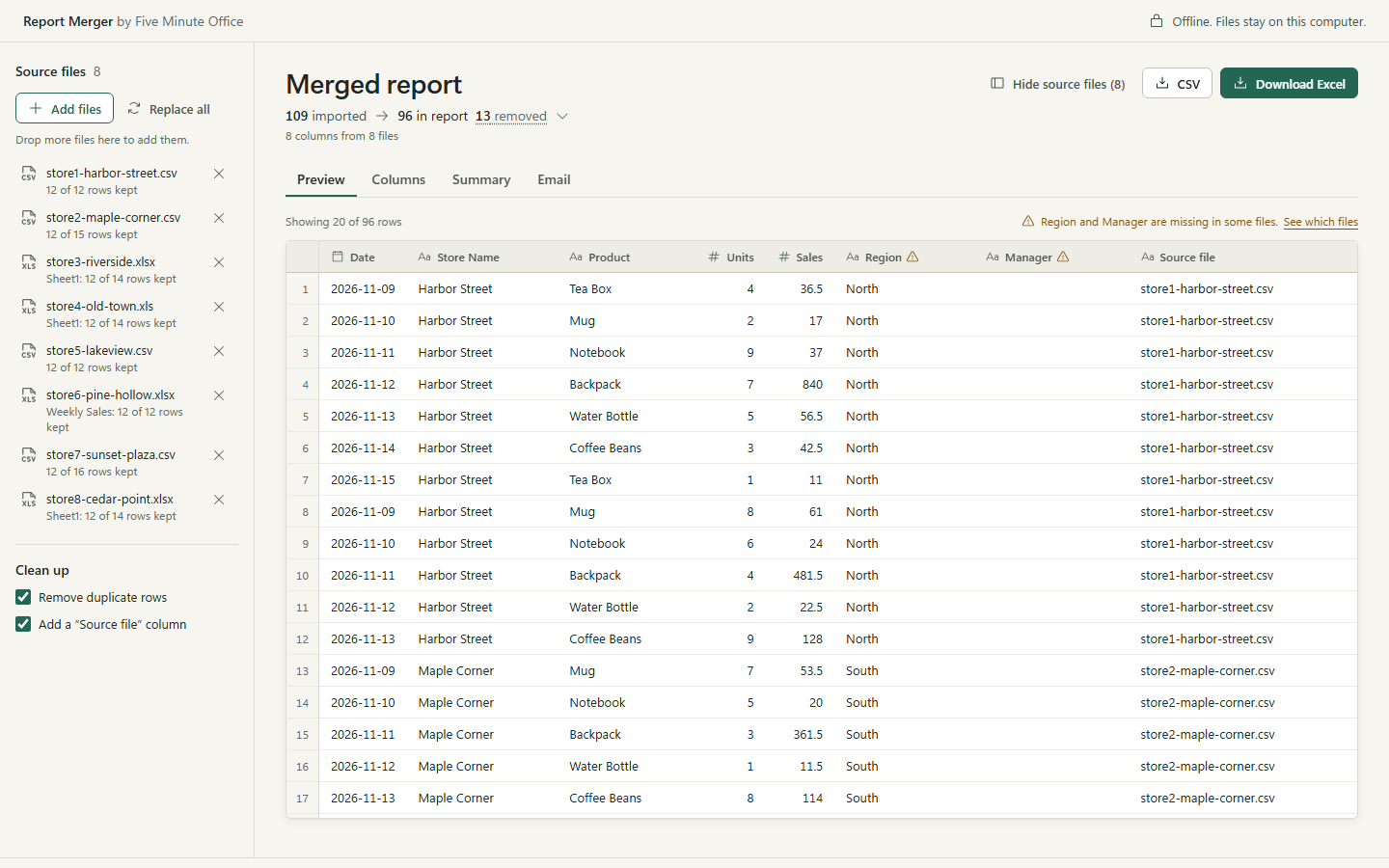
Real screenshot: 8 store files, 109 rows in, 96 in the report, 13 removed (6 duplicates, 5 blank rows, 2 repeated headers).
report-merger.html. It is one file: double-click it and it opens in your browser..csv, .xlsx or .xls.Different order or different spelling: Store Name and store_name become one column.
Removes duplicate rows, empty rows and repeated header rows, and shows how many of each.
A Source file column tells you where every row came from.
If a column is missing in some files, it tells you which ones.
Group by any column and sum a number column, with a total.
Fills in a short email with the numbers and the top 3, ready to copy. It never sends anything.
1.234,50 stay as text.Contact Name and Name stay separate.It is new. In the launch weeks it is free in exchange for an honest opinion: what broke, what was missing, what you would pay for. Later it will cost 29 EUR one-time; whoever downloads it now keeps it.
It is a plain web page with the code inside, nothing to install. You can switch off your internet and it still works, which is the easiest way to see that nothing leaves your computer.
The tool (report-merger.html), a README, the licences of the two open-source libraries it uses, and the sample files from the videos: 8 store reports, 5 timesheets, 7 daily exports.
Nothing about you. This page sets no cookies, has no analytics scripts and loads nothing from other sites. We only count how many times the zip is downloaded and the tool is opened: one number per day, with no IP address or anything else attached. Our host, Cloudflare, handles technical data such as IP addresses to deliver the page and protect it from attacks.
Yes, free, on as many computers as you like. It comes as is, without warranty, so check the result before you send it on. Full terms.
Five Minute Office: office busywork, done in minutes. Built with AI by someone who is not a programmer.
If something breaks on your files, tell us in a comment on TikTok or YouTube. That is exactly what we need right now.